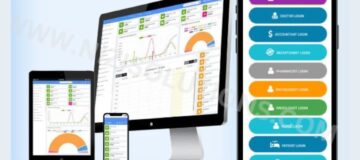

Accounting Finance Management System in Riyadh, Saudi Arabia
Simplify Your Business Finances with Smart Accounting Software
Take control of your business finances with the Accounting Finance Management System by Nizi Solutions. Designed for businesses in Riyadh, Saudi Arabia, our accounting and finance software helps streamline daily accounting tasks, manage invoices, track expenses, monitor cash flow and generate financial reports from a centralized platform.
Whether you operate a small business, a growing company or a large enterprise, our solution can be configured around your financial processes, reporting needs and business goals. Moreover, flexible pricing plans help you choose the features that suit your budget without paying for unnecessary functionality.
From managing customer payments and supplier bills to monitoring profitability and preparing financial statements, Nizi Solutions helps your team work with organized financial information and greater operational visibility.
Manage your finances smarter. Make business decisions with confidence.
- Simplify accounting and bookkeeping.
- Track income, expenses and outstanding payments.
- Manage customers, suppliers and financial transactions.
- Monitor cash flow and business profitability.
- Generate reports to support informed decisions.
- Configure workflows for your business requirements.
Call to Action: Request a Free Demo | Get a Customized Quote | Talk to Our Software Experts
What Is an Accounting Finance Management System?
An Accounting Finance Management System is business software that helps organizations record, organize, monitor and analyze their financial activities. It brings essential accounting functions together, allowing businesses to maintain transaction records, manage receivables and payables, track expenses, reconcile accounts and review financial performance.
Instead of depending on disconnected spreadsheets and manual records, businesses can use a centralized system to improve the consistency and accessibility of financial information.
For businesses in Riyadh, this can support more efficient financial administration, better cash flow visibility and more structured reporting. Furthermore, configurable accounting workflows can help businesses manage different departments, branches and reporting requirements.
Nizi Solutions provides accounting and finance management software that can be tailored to the needs of small businesses, medium-sized organizations and enterprise-level operations.
Who Can Use Our Accounting and Finance Software?
Our solution can support a wide range of industries and business models, including:
- Trading and distribution companies.
- Retail shops and wholesale businesses.
- Manufacturing and industrial organizations.
- Construction and contracting companies.
- Real estate and property management businesses.
- Hotels, restaurants and hospitality groups.
- Healthcare providers and medical businesses.
- Professional service providers and consultancies.
- Import and export companies.
- Multi-branch businesses and corporate groups.
Regardless of your industry, the objective is to make financial information easier to manage while supporting accurate records and better business visibility.
Key Features of Accounting Finance Management System
Modern businesses need more than basic bookkeeping. They need a connected financial management solution that supports daily transactions, internal controls, reporting and future growth.
Therefore, Nizi Solutions offers a range of accounting and finance features that can be configured according to your operational requirements.
1. General Ledger Management
Maintain a structured record of financial transactions through a centralized general ledger.
- Create and manage a chart of accounts.
- Record journal entries and adjustments.
- Track debit and credit transactions.
- Manage account balances.
- Organize transactions by account and accounting period.
- Review general ledger details.
- Generate trial balance reports.
- Maintain opening balances.
- Support period-end closing workflows.
- Track transaction references and descriptions.
As a result, your finance team can review accounting activity more efficiently and maintain a clearer view of business transactions.
2. Accounts Receivable Management
Manage customer invoices, outstanding balances and incoming payments through organized receivables workflows.
- Create and manage customer accounts.
- Generate sales invoices.
- Record customer payments.
- Track partial and outstanding payments.
- Manage credit sales.
- Monitor overdue invoices.
- Maintain customer account statements.
- Record credit notes and adjustments.
- Review customer payment histories.
- Generate receivables aging reports.
Moreover, these capabilities help businesses identify overdue accounts and follow up on payments more systematically.
3. Accounts Payable Management
Keep supplier bills and payment obligations organized to improve financial planning.
- Create supplier profiles.
- Record purchase bills and expenses payable.
- Track supplier balances.
- Schedule and record payments.
- Monitor overdue supplier invoices.
- Manage partial payments.
- Record supplier credit notes.
- Review supplier account statements.
- Generate payable aging reports.
- Maintain transaction histories.
Consequently, your team can better understand upcoming payment obligations and coordinate supplier payments with available cash.
4. Invoicing and Billing Management
Create professional invoices and maintain organized billing records for your customers.
- Generate sales invoices.
- Customize invoice layouts.
- Assign invoice numbers and dates.
- Record payment terms and due dates.
- Apply approved discounts.
- Configure applicable tax rates.
- Generate payment receipts.
- Issue credit notes where supported.
- Track invoice status.
- Print or export financial documents.
Additionally, automated calculations and consistent invoice records can help reduce repetitive administrative work.
5. Expense Management
Monitor operational expenses and understand where your business money is being spent.
- Create expense categories.
- Record daily business expenses.
- Manage recurring expenses.
- Track expenses by department or branch.
- Upload supporting documents where supported.
- Record employee expense claims where configured.
- Set approval workflows.
- Monitor budget versus actual expenses.
- Generate expense summaries.
- Review expense trends by period.
Therefore, management can identify significant cost categories and make more informed spending decisions.
6. Cash and Bank Management
Maintain visibility into cash balances, bank transactions and payment activity.
- Manage cash accounts and bank accounts.
- Record deposits and withdrawals.
- Track incoming and outgoing payments.
- Manage cash receipts and payment vouchers.
- Record bank charges.
- Transfer funds between accounts.
- Review cashbook transactions.
- Reconcile bank statements.
- Monitor available balances.
- Generate cash and bank reports.
Furthermore, bank reconciliation helps identify differences between internal accounting records and bank statements.
7. Financial Reporting and Statements
Turn accounting transactions into reports that support management decisions.
- Profit and loss statement.
- Balance sheet.
- Cash flow statement.
- Trial balance.
- General ledger report.
- Accounts receivable report.
- Accounts payable report.
- Expense analysis.
- Sales and purchase summaries.
- Tax summaries based on configured rules.
- Department-wise financial reports.
- Monthly, quarterly and annual comparisons.
With consistent financial records, managers can better understand profitability, financial position and business performance.
8. Budgeting and Financial Planning
Create budgets and compare planned expenditure with actual financial results.
- Prepare annual and monthly budgets.
- Set budgets by department or branch.
- Allocate expense limits.
- Compare budgeted and actual figures.
- Track spending variations.
- Monitor revenue targets.
- Review budget performance.
- Generate variance reports.
- Support forecasting workflows.
- Maintain multiple budget scenarios where configured.
As a result, organizations can identify budget deviations earlier and improve financial planning.
9. Cash Flow Management
Monitor the timing of incoming and outgoing funds to support daily business operations.
- Track expected customer receipts.
- Review upcoming supplier payments.
- Monitor cash inflows and outflows.
- Analyze historical cash flow.
- Review receivables and payables.
- Prepare cash flow projections where configured.
- Identify potential cash shortages.
- Support short-term financial planning.
In addition, cash flow visibility helps management plan payments, purchasing and working capital more effectively.
10. Tax and VAT Management for Saudi Arabia
Support organized tax-related accounting with configurable tax settings and reporting workflows.
- Configure applicable VAT rates.
- Calculate tax on eligible transactions.
- Record taxable sales and purchases.
- Maintain tax-related transaction details.
- Generate tax summaries.
- Review input and output VAT records.
- Maintain supporting invoice information.
- Support tax reporting workflows.
- Configure tax treatment for relevant transaction types.
For businesses operating in Riyadh, tax configuration should be reviewed against current Saudi regulations and the nature of each transaction.
Important: ZATCA e-invoicing integration, QR codes, clearance or reporting connectivity, and other regulatory functions require appropriate implementation and verification. They should not be assumed to be included unless explicitly confirmed in the selected package.
11. Multi-Currency Accounting
Support businesses that deal with international customers, suppliers or transactions.
- Record transactions in supported currencies.
- Configure currency exchange rates.
- Maintain base and transaction currency values.
- Track foreign-currency receivables and payables.
- Review exchange-rate differences.
- Support foreign-currency reporting where configured.
- Manage relevant transaction histories.
This can be particularly useful for importers, exporters and businesses operating across multiple markets.
12. Customer and Supplier Management
Maintain organized financial profiles for customers and suppliers.
- Store contact and business details.
- Maintain customer credit information.
- Track supplier payment terms.
- Review account balances.
- Access transaction histories.
- Generate customer and supplier statements.
- Monitor outstanding balances.
- Maintain relevant account notes.
- Support customer and supplier categorization.
Consequently, your team can access essential financial information without repeatedly searching through separate records.
13. Purchase and Sales Accounting
Connect sales and purchasing activity with financial records through supported workflows.
- Record sales transactions.
- Manage purchase invoices.
- Track supplier liabilities.
- Record customer receivables.
- Apply discounts and configured taxes.
- Track returns and credit notes where supported.
- Review sales and purchase summaries.
- Monitor transaction profitability where cost data is available.
- Maintain links between source transactions and accounting entries.
Moreover, integration with compatible inventory, sales or purchasing modules can reduce duplicate data entry.
14. Fixed Asset Management
Organize business assets and support their accounting treatment.
- Maintain fixed asset registers.
- Record asset purchase details.
- Classify assets by category.
- Track asset locations and ownership records.
- Configure depreciation methods.
- Calculate depreciation according to supported rules.
- Maintain asset disposal records.
- Review asset values and depreciation reports.
The exact depreciation treatment should be aligned with your accounting policies and applicable financial reporting requirements.
15. Payroll and Employee Expense Integration
Connect financial records with employee-related transactions where payroll integration is included.
- Record payroll-related accounting entries.
- Track salary expense allocations.
- Maintain employee reimbursement records.
- Allocate costs to departments.
- Review payroll expense summaries.
- Integrate with compatible HR and payroll software.
This helps finance teams obtain a more complete view of employee-related business costs.
16. Multi-Branch and Departmental Accounting
Support organizations that need financial visibility across different locations or operating units.
- Maintain branch-specific transaction records.
- Track department-level expenses.
- Review branch revenue and costs.
- Configure access by role or location.
- Generate branch-wise reports.
- Consolidate financial information where supported.
- Compare performance across reporting periods.
- Support inter-branch accounting workflows where configured.
As your business expands, these capabilities can help management maintain a more consistent view of financial performance.
17. Financial Approval Workflows and Internal Controls
Improve oversight of financial activities through configurable controls.
- Define user roles and permissions.
- Assign transaction approval responsibilities.
- Restrict access to sensitive financial records.
- Apply approval workflows to selected transactions.
- Track relevant changes through audit logs where enabled.
- Separate transaction preparation and approval responsibilities.
- Maintain supporting documents where supported.
Furthermore, structured controls can help reduce unauthorized changes and improve accountability.
18. Dashboard and Key Performance Indicators
Access a consolidated overview of essential financial information.
- Total sales and revenue.
- Operating expenses.
- Customer receivables.
- Supplier payables.
- Cash and bank balances.
- Profitability summaries.
- Monthly income and expense trends.
- Budget performance.
- Outstanding invoices.
- Branch-level financial indicators.
With these insights, management can identify important changes and focus on areas that require attention.
19. Document Management and Audit Readiness
Keep relevant financial documents and transaction references organized.
- Attach supporting documents where supported.
- Maintain invoice and payment references.
- Organize financial records by date and category.
- Retrieve transaction histories.
- Review selected audit trails.
- Export reports for authorized review.
- Support period-end documentation workflows.
Consequently, your team can prepare financial information more efficiently for internal reviews and external professional advisers.
20. Multilingual and Localized Interface
Support the language and formatting requirements of your business.
- Arabic and English interface options, subject to configuration.
- Localized labels and financial forms.
- Saudi Riyal (SAR) currency display.
- Configurable date and number formats.
- Multilingual document layouts where supported.
- Right-to-left Arabic interface options where implemented.
- Configurable financial terminology.
For businesses in Riyadh, Arabic and English workflows can help different team members use the system more comfortably. However, the precise translation, right-to-left layout and document output should be confirmed before implementation.
Benefits of Implementing Accounting Finance Management Software
Implementing a suitable accounting and finance management system can improve how your organization handles transactions, monitors cash and plans for growth.
Improve Accounting Efficiency
Reduce repetitive data entry and streamline common financial tasks. Consequently, your team can spend more time reviewing financial performance and less time maintaining disconnected records.
Reduce Manual Errors
Structured transaction entry and consistent accounting workflows can help reduce mistakes caused by duplicated data, incorrect calculations and incomplete records.
Improve Cash Flow Visibility
Monitor incoming payments, upcoming bills and available balances. Therefore, your finance team can make better-informed decisions about payment timing and working capital.
Strengthen Financial Control
Use access permissions, approval workflows and transaction histories to improve accountability. In addition, clearer responsibilities can help strengthen internal financial processes.
Generate Reports Faster
Prepare financial statements and management summaries from organized transaction records. As a result, managers can access important financial information more efficiently.
Improve Budget Management
Compare actual spending against approved budgets and investigate significant variances. Furthermore, this can support better cost management and resource allocation.
Support Better Business Decisions
Use reliable financial reports to understand revenue, expenses, profitability and liabilities. Consequently, business leaders can evaluate performance with greater confidence.
Improve Customer Payment Follow-Up
Identify overdue invoices and review outstanding balances more systematically. This can help your team establish more consistent collection procedures.
Support Business Expansion
Manage additional branches, departments and financial workflows as your requirements grow, subject to the selected software configuration.
Improve Collaboration Between Departments
Connect financial activity with sales, purchasing, inventory, payroll or other business systems where compatible integrations are available.
Accounting Finance Management Software for Small, Medium and Enterprise Businesses
Every organization has a different accounting structure. Therefore, Nizi Solutions offers flexible configurations to help businesses choose the functionality they need.
Accounting Software for Small Businesses
Ideal for small companies, retailers, startups and service providers that need essential financial management.
Recommended features include:
- Basic accounting and general ledger.
- Customer invoicing.
- Expense tracking.
- Customer and supplier accounts.
- Cash and bank management.
- Essential financial reports.
Accounting Software for Medium-Sized Businesses
Suitable for growing companies that need greater financial oversight and more structured workflows.
Recommended features include:
- Accounts receivable and payable management.
- Budgeting and expense controls.
- Bank reconciliation.
- Tax configuration.
- Department and branch reporting.
- Approval workflows.
- Advanced financial statements.
- Integration with compatible business modules.
Enterprise Accounting and Finance Management System
Designed for larger organizations with complex reporting requirements and multiple operating units.
Potential capabilities include:
- Multi-branch accounting.
- Consolidated reporting where supported.
- Advanced user permissions.
- Configurable approval workflows.
- Multi-currency accounting.
- Departmental budgeting.
- Fixed asset management.
- Integration with ERP, CRM, payroll and inventory systems.
- Expanded management reporting.
- Customized workflows and implementation planning.
The final scope depends on your business requirements, deployment model, selected modules and agreed implementation plan.
Why Choose Nizi Solutions for Accounting Software in Riyadh?
Selecting accounting software is an important business decision. You need a system that fits your financial processes, provides useful reporting and can adapt as your organization grows.
Flexible Pricing Plans
We understand that businesses operate with different budgets. Therefore, Nizi Solutions offers flexible pricing options based on the required modules, user requirements, customization and implementation scope.
Customizable Financial Workflows
Discuss your accounting structure, approval procedures, reporting formats and business requirements with our team to identify a suitable configuration.
Solutions for Every Business Size
Whether you manage a small company, a growing organization or a large enterprise, we can discuss a package suited to your operational needs.
Multilingual Options
Plan language and localization requirements around your team, including Arabic and English options where supported by the selected implementation.
Integration with Business Operations
Explore integrations with compatible sales, inventory, purchasing, payroll, CRM and ERP systems to improve information flow across your organization.
Scalable Business Software
Choose a configuration that supports your current requirements while allowing additional modules and workflows to be considered as your business grows.
Implementation and Support Options
Discuss deployment, data migration, staff training, maintenance and technical support according to your selected service agreement.
Affordable Accounting Finance Management Software in Riyadh
Software Within Your Budget, with Flexible Pricing Plans
You should be able to choose accounting software based on your actual business needs. Nizi Solutions works with small, medium-sized and enterprise-level organizations to identify a practical configuration that aligns with their budget and financial management goals.
Our pricing can depend on:
- Number of users and business locations.
- Required accounting modules.
- Custom reporting and workflow requirements.
- Multi-currency functionality.
- Third-party integrations.
- Data migration and initial setup.
- Hosting and deployment preferences.
- Staff training and ongoing support.
Instead of applying the same package to every company, we can discuss the features that matter most to your business.
Get a customized accounting software quotation from Nizi Solutions.
CTA: Request a Free Demo | Get Your Custom Quote
Accounting and Finance Software for Businesses in Riyadh, Saudi Arabia
Riyadh is home to businesses across retail, trading, manufacturing, construction, hospitality, professional services and many other sectors. As organizations expand, maintaining accurate financial records and timely management reports becomes increasingly important.
A centralized accounting system can help businesses coordinate customer invoices, supplier bills, expenses, cash flow and financial reporting more consistently.
For companies working with international suppliers or customers, multi-currency functionality may also be valuable. Similarly, organizations with multiple branches can benefit from structured branch-level reporting and access controls.
Nizi Solutions aims to help businesses in Riyadh modernize their financial processes with configurable accounting and finance management technology.
Localized for Saudi Business Requirements
When implementing accounting software in Saudi Arabia, consider the following:
- Saudi Riyal (SAR) currency configuration.
- Arabic and English language requirements.
- Applicable VAT rates and tax treatment.
- ZATCA e-invoicing requirements where applicable.
- Relevant invoice and document formats.
- Multi-branch and multi-currency reporting.
- Data security, access controls and backup.
- Applicable accounting and record-retention requirements.
These requirements should be assessed during implementation. In particular, tax calculations and ZATCA integration must be configured and tested according to the applicable requirements and the features actually delivered.
How Our Accounting Finance Management System Works
Step 1: Configure Your Accounts
Set up your chart of accounts, opening balances, customers, suppliers, tax settings and financial periods.
Step 2: Record Financial Transactions
Enter invoices, expenses, receipts, supplier bills and other business transactions using the configured workflows.
Step 3: Monitor Payments and Balances
Review receivables, payables, cash balances and bank transactions to understand your current financial position.
Step 4: Reconcile and Review
Reconcile bank statements, review transactions and complete the checks required by your internal accounting procedures.
Step 5: Generate Financial Reports
Prepare profit and loss statements, balance sheets, cash flow reports and other configured financial summaries.
Step 6: Plan for Growth
Use historical financial information and budget reports to support business planning, resource allocation and future investment decisions.
Frequently Asked Questions About Accounting Finance Management Software
1. What is the best accounting finance management software in Riyadh?
The best accounting software depends on your business size, accounting requirements, reporting needs, integrations and budget. Nizi Solutions offers configurable accounting and finance management software with features such as invoicing, expense tracking, general ledger, receivables, payables and financial reporting.
2. How much does accounting software cost in Saudi Arabia?
The cost depends on the selected modules, number of users, customization, integrations, deployment and support requirements. Nizi Solutions offers flexible pricing options and customized quotations for businesses of different sizes.
3. Can the software manage invoices and expenses?
Yes. The configured system can support customer invoicing, supplier bills, expense recording, payment tracking and financial summaries.
4. Does the system support VAT in Saudi Arabia?
Tax configuration and VAT reporting capabilities can be included according to the selected implementation. Your business should verify tax rates, transaction treatment and reporting requirements against current Saudi regulations.
5. Does the software support ZATCA e-invoicing?
ZATCA e-invoicing integration depends on the implemented features and your business’s applicable requirements. Confirm the required integration, invoice formats, QR code functionality and compliance testing before purchasing.
6. Can I manage multiple branches through one accounting system?
Multi-branch accounting can be supported in suitable configurations. Features may include branch-level transactions, reporting, access controls and consolidated financial views where available.
7. Is the software suitable for small businesses?
Yes. Small businesses can start with essential accounting, invoicing, expense tracking, customer and supplier management, and financial reports. Additional modules can be considered as requirements grow.
8. Can the system handle multiple currencies?
Multi-currency functionality can be configured for businesses that trade internationally. Available features depend on the implementation, including exchange-rate management and foreign-currency reporting.
9. Does Nizi Solutions provide Arabic and English accounting software?
Arabic and English localization can be discussed during requirements assessment. Interface translation, right-to-left layouts and localized financial documents should be confirmed for the selected package.
10. Can accounting software integrate with inventory and ERP systems?
Integration with compatible inventory, purchasing, sales, payroll, CRM and ERP systems may be possible. The available options depend on the existing software, technical compatibility and project scope.
11. Can the software generate a profit and loss statement and balance sheet?
Yes. Financial statement generation can be included in the configured accounting system, provided transactions and account mappings are maintained appropriately.
12. How can I request a demo from Nizi Solutions?
Visit the Nizi Solutions website or contact the company through its business contact channels to discuss your requirements and request a demonstration. Sharing your industry, number of users, required modules and localization needs can help the team recommend a suitable configuration.
Take Control of Your Business Finances with Nizi Solutions
Managing business finances should not require unnecessary paperwork, disconnected spreadsheets or time-consuming manual reporting. With the right accounting and finance management system, your team can organize transactions, monitor cash flow and access useful financial information more efficiently.
Nizi Solutions offers configurable accounting software for businesses in Riyadh, Saudi Arabia, with flexible pricing options for small businesses, medium-sized companies and enterprise organizations.
Whether you need essential accounting, advanced financial reporting, multi-branch management or integration with other business systems, we can discuss a solution tailored to your requirements.
Build a Stronger Financial Foundation for Your Business
- Flexible pricing plans.
- Configurable accounting and finance modules.
- Solutions for businesses of every size.
- Arabic and English localization options.
- Implementation planning based on your requirements.
Contact Nizi Solutions today to request a demo and receive a customized quotation.